


Friend Tracker: Find a Phone
4.4445.00 Reviews
App Specs
- Version
- 2.9.2
- Updated On
- License
- Free
- Downloads
- 1,000,000+
- Developer
- AppNations
- Categories
- Lifestyle
- Platform
- Android, iOS
Screenshots
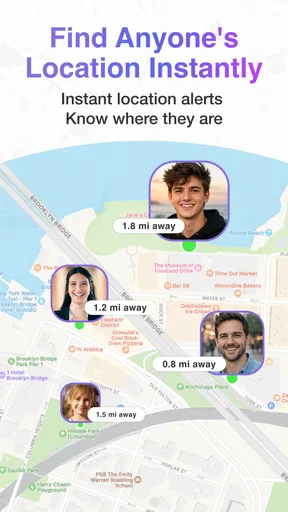

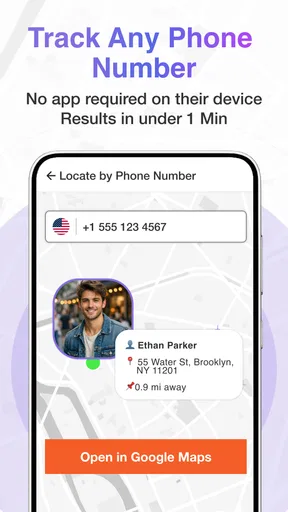
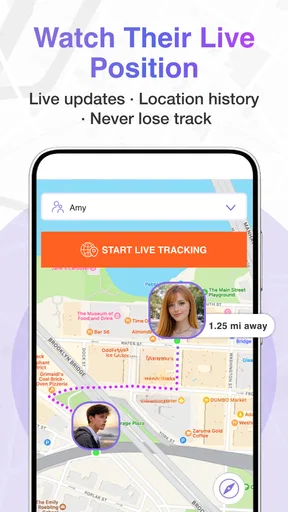
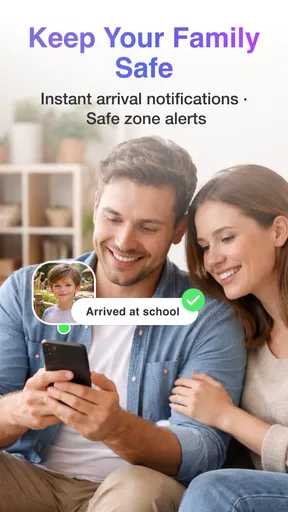
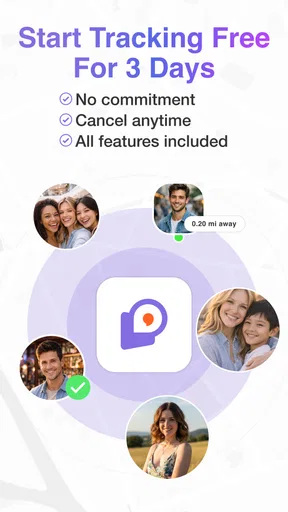
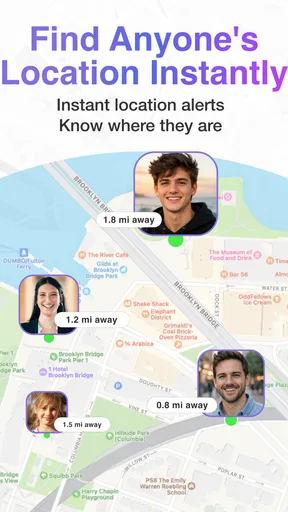

 Analysis by AppCompare
Choosing a location-sharing app is less about seeing a dot on a map and more about agreeing on when that dot should be visible, who can see it, and what you’ll do with the information. I’d start by asking whether your group wants occasional help meeting up, ongoing family coordination, or a dedicated safety check-in routine. Those are different needs, and a tracker is useful only when everyone involved understands and welcomes the arrangement.
A good fit for shared plans, not secret checking
Friend Tracker: Find a Phone is a lifestyle app from Ads Station built around keeping track of friends and family. Its focus makes sense for a household or small social group that already wants to share locations, especially when people are travelling to the same place at different times. It is less suitable if your real need is a one-time way to find your own misplaced handset, or if the people you want to locate have not agreed to share their whereabouts.
That distinction matters in everyday use. If a friend is late, a location view may help you decide whether to wait inside or head to the entrance. It cannot explain why they are delayed, whether they are safe, or whether they have seen your message. I would still use a call or text for anything urgent; the map is context, not a substitute for conversation or emergency services.
What I would check before inviting anyone
Before setting up a group, I’d agree on a simple purpose and a clear boundary: perhaps sharing while travelling to a meetup, or keeping location visibility on among family members who have chosen it. Ask each person to install the app and make their own decision rather than treating an invite as automatic consent. If someone declines, respect that without turning the choice into a test of trust.
It is also worth deciding what “real time” means for your plans. Location can be affected by a phone being offline, low on power, or unable to provide a fresh position. A map that has not updated should not be treated as proof that someone is still in the same place. When timing matters, confirm directly and make a backup plan, such as choosing a meeting point that is easy to find.
How it sits beside other ways to coordinate
Compared with messaging alone, a shared map can save a few back-and-forth messages when several people are heading to one destination. Compared with a phone’s built-in location-sharing tools, this app is another option for groups who want to use a dedicated friend-tracking app. I would not assume it is automatically better: if your household already uses a location feature everyone understands, adding another app may create more setup and another place to manage sharing.
For a single journey, a live ETA or a quick “I’m outside” message may be simpler and less intrusive than continuous sharing. For people who need location visibility only during agreed periods, the practical question is whether everyone can comfortably manage when sharing is on and off. The strongest choice is the one your group can use transparently, not the one with the most impressive-sounding promise.
Worth Reading Before You Choose

EA SPORTS FC Mobile 26 Is a Bigger Football Game, but It Takes Time

Flipboard Shows What News Apps Must Do Beyond the Feed

Switching to Android Auto Means Rethinking Your Driving Routine

Google Calendar Makes a Crowded Week Easier to Manage

Ludo King Makes the Most of the Minutes Between Plans

Baby Panda World Brings Quick Play to Modern Phones, but Its Game Library Feels Busy
Deciding whether the ongoing trade-off is worth it
The app is free to download, but it includes in-app purchases priced from $10.99 to $59.99 per item. I would try the basic experience before considering any purchase and check what an item actually unlocks in the app before spending. Do not buy on the assumption that a paid option will solve a problem unless its purpose is clear to you.
There is also a small ongoing cost in attention: people need to keep the app usable, manage location permissions, and revisit the group’s expectations if circumstances change. That can be worthwhile for regular family coordination, but excessive for friends who meet only once in a while. If you stop using it, review location access on the phone and tell the group you are leaving rather than silently relying on an old sharing arrangement.
Getting Started with Friend Tracker
Jumping into Friend Tracker: Find a Phone is as easy as pie. The interface is super user-friendly, even for someone who isn't exactly tech-savvy. You start by downloading the app from your favorite app store, and trust me, it’s available on both Android and iOS so no one feels left out.
After installing, you'll go through a quick setup process. You’ll need to allow location permissions, which is a given for an app like this. Once that’s sorted, you can start adding your friends. It's as simple as sending them an invite link. Just make sure your friends are cool with it—you don’t want to come off as a stalker!
The Nitty-Gritty Features
The app's standout feature is, of course, real-time location tracking. You can see where your friends are at any given moment, which is super handy if you’re trying to coordinate a meet-up. Plus, there’s a nifty little feature that allows you to set up geofencing alerts. This means you’ll get notified when your friend enters or leaves a designated area. Perfect for ensuring no one bails on brunch unannounced!
Another cool feature is location history. You can check where your friends have been over the past few days. It’s like having a digital breadcrumb trail, and it’s kind of fascinating to see the places they frequent. Just remember, privacy is key, so this feature works best when everyone is on board with sharing.
Usability and Design
The app scores high on usability. The design is sleek, with a clean interface that doesn’t overwhelm you with too much info at once. Navigation is straightforward with tabs for Friends, Maps, and Settings. Plus, the app is surprisingly light on battery usage, which is a big plus. No one wants an app that drains your phone before lunchtime.
What I really appreciate is the app’s reliability. I haven’t faced any major glitches, and the updates roll out frequently enough to keep things running smoothly. The developers seem committed to ironing out any kinks, which is always reassuring.
Privacy Concerns
I know, I know—sharing your location can be a bit daunting. But the app has some solid privacy settings. You can choose who sees your location and when. For those moments you want some privacy, you can easily switch off your location sharing. It’s all about finding that balance between staying connected and maintaining your personal space.
You can also customize what notifications you receive. So, if you only want to know when someone is nearby and not every single movement, you can adjust those settings to suit your preferences.
Making the choice with eyes open
The app has an average rating of 3.9 from around three thousand ratings, with about four hundred written reviews, and more than five hundred thousand installs. I read that as evidence of an established audience, not a guarantee that every group will have the same experience. It is rated Teen, and version 2.7.6 is listed for devices running Android 7.0 or later. Those details are useful when a family member’s phone is older or when you are deciding whether everyone can join the same arrangement.
For a practical test, I would set up a small group before inviting everyone in the family. Try one ordinary outing: have one person share while travelling to a familiar meeting place, and agree that they will message if plans change. This reveals whether the map and alerts fit your routine without turning a casual lunch into a trial of constant monitoring. If the group finds itself checking the screen more than communicating, that is a good sign to scale the sharing back.
Parents considering the app for children should treat it as a conversation tool, not a replacement for age-appropriate boundaries. Explain what is shared and why, and involve the child in setting expectations where appropriate. For adult friends, the same principle applies: a location feature can reduce coordination friction, but it should never become an unspoken requirement to account for every stop.
Small habits that make location sharing more useful
One useful habit is to give alerts a narrow purpose. A geofence around a meeting point can help with a planned arrival, while alerts for every routine movement may create noise and encourage unnecessary checking. I’d begin with only the notifications that answer a real question for the group, then adjust them after a few days rather than enabling everything at once.
Location history deserves a similar boundary. It may help someone retrace a recent route or understand where a shared outing took place, but it can also expose patterns that people did not intend to discuss. Before relying on it, agree whether the group genuinely needs that history and who is comfortable with it. A map feature is not automatically useful just because it is available.
If a friend appears stationary, I would avoid jumping to conclusions. Their phone may not be reporting a fresh location, or they may simply have stopped somewhere. Send a straightforward message, and use the map as a prompt for coordination rather than evidence in an argument. That approach keeps the app in its proper role and prevents ordinary technical uncertainty from becoming a personal conflict.
Who should keep looking
If your priority is finding a lost device you own, the phone’s built-in device-finding service is usually the more direct place to start. If you mainly need to coordinate a short trip, a message with an arrival estimate may be enough. And if your group already shares locations through a familiar service, switching everyone to a separate tracker makes sense only if its particular workflow solves a problem you actually have.
Friend Tracker is more appealing when several consenting people want a shared view for recurring plans and appreciate having map, alert, and history tools in one place. It may be the wrong choice for someone who dislikes ongoing location sharing, needs dependable emergency monitoring, or expects a map to explain a person’s intentions. The main trade-off is convenience in exchange for continued attention to consent, settings, and how the group interprets what it sees.
Final Thoughts
At the end of the day, Friend Tracker: Find a Phone is a handy tool for anyone looking to streamline their social arrangements. It’s perfect for the forgetful friend who always needs a little nudge to get moving or for those of us who like knowing where everyone stands—literally.
It won’t replace the need for good old-fashioned communication, but it definitely adds a layer of convenience. Just remember to use it respectfully and keep those privacy settings in check. So, if you’re looking to enhance your social life with a bit of tech, give this app a go. It might just become your new favorite way to stay connected.
Pros
- Accurate real-time location updates.
- Easy-to-use interface for all ages.
- Low battery consumption mode.
- Customizable privacy settings.
- Works seamlessly on both Android and iOS.
Cons
- Requires constant internet connection.
- Premium features can be pricey.
- Occasional location update delays.
- Limited free version capabilities.
- May raise privacy concerns for some.
FAQs for Friend Tracker: Find a Phone
What is Friend Tracker: Find a Phone, and how does it work?
Friend Tracker: Find a Phone is a location-sharing app designed to help users keep track of friends and family members in real-time. By using GPS technology, the app allows users to share their current location with designated contacts. This feature is particularly useful for coordinating meet-ups, ensuring safety, and staying connected with loved ones.
Is my location data secure with Friend Tracker: Find a Phone?
Yes, Friend Tracker prioritizes user privacy and data security. The app uses encryption to protect location data and ensures that only designated contacts can access your information. Users have full control over who they share their location with and can easily manage permissions within the app settings.
Can I use Friend Tracker: Find a Phone without an internet connection?
An active internet connection is required for real-time location sharing. Without it, the app cannot update or transmit your location data to your contacts. However, some features, like previously saved locations, may still be accessible offline until the connection is restored.
Are there any subscription fees for using Friend Tracker: Find a Phone?
Friend Tracker offers both free and premium versions. The free version includes basic location-sharing features, while the premium version provides additional functionalities such as advanced tracking options and ad-free usage. Subscription fees for the premium version vary and are detailed within the app.
How accurate is the location tracking in Friend Tracker: Find a Phone?
The accuracy of location tracking depends on several factors, including GPS signal strength and network connectivity. Generally, the app provides precise location updates, but users may experience slight variances in accuracy in areas with poor reception. Regular updates and optimizations aim to improve tracking consistency.


